


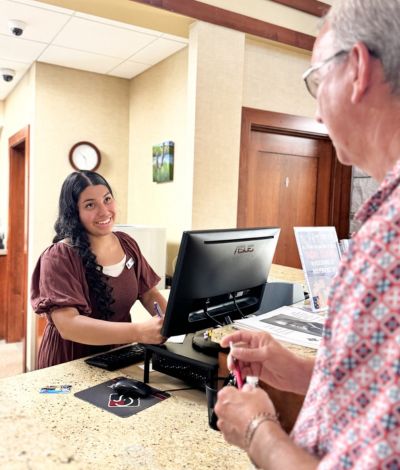
Thinking about moving your money but dreading the hassle? You're not alone — and it's a lot simpler than it sounds. Our Switch Kit walks you through the whole thing step by step, and if you'd rather have personal help, the bankers at your neighborhood CS Bank branch are happy to sit down with you. We've been helping families and businesses across Northwest Arkansas and Southwest Missouri bank with confidence since 1912, and we'd love to welcome you, too.
Ready to start? Open your account online in just a few minutes, then follow the four steps below to bring everything over.Why Families and Businesses Make the Switch
- Free checking that actually pays you. With our Kasasa rewards checking account options, you can earn high interest or cash back, and every personal checking account is free with eStatements.
- Local decisions, local people. You're not a number here. Decisions get made by people who live and work in your community.
- Nationwide access, hometown service. Mobile and online banking, plus ATM fee refunds on qualifying accounts, so you're covered wherever you go.
- A bank that's stuck around. Serving Harrison, Berryville, Eureka Springs, Huntsville, and Cassville for over a century.
.jpg)
How to switch in four easy steps
1. Open your new CS Bank account
It takes just a few minutes online or stop by any branch and we'll set you up in person. Not sure which account fits? Compare our checking accounts or ask a banker.
2. Move your direct deposit.
Give your employer (and any benefits like Social Security) your new CS Bank account and routing numbers. Use our prefilled Direct Deposit form to make it quick.
3. Update your automatic payments
Switch any recurring drafts — utilities, insurance, loan payments, subscriptions, and payment apps — to your new account. Our Switch Checklist helps you catch them all.
4. Close your old account
Once your direct deposit lands at CS Bank and your last automatic payments clear, close your old account using our Account Closing Letter. That's it — welcome to CS Bank!

Your Switch Checklist
Use this quick list so nothing slips through the cracks. Update these with your new CS Bank account information:
- Employer / payroll direct deposit
- Social Security or other government benefits
- Utilities (electric, water, gas, internet, phone)
- Mortgage, auto, and other loan auto-payments
- Insurance premiums
- Subscriptions and memberships (streaming, gym, apps)
- Payment apps and digital wallets (Zelle, Venmo, PayPal, Apple Pay)

Switch Kit Tools & Downloads
Everything you need, ready to download and fill out:
- The Complete Switch Kit (PDF) — all the forms in one place
- Direct Deposit Authorization — hand this to your employer or payroll
- Automatic Payment Switch List — track and move your recurring payments
Account Closing Letter — a simple template to close your old account
Frequently Asked Questions
About Switch Kits
How long does it take to switch banks?
You can open your CS Bank account in just a few minutes. Moving your direct deposit and automatic payments usually takes one to two pay cycles, so we'd suggest giving it about two to four weeks before you close your old account.
Is there a fee to switch?
No. We don't charge anything to help you switch, and every CS Bank personal checking account is free with eStatements.
Do I have to close my old account?
We recommend it, but only after your direct deposit is landing at CS Bank and your last automatic payments have cleared. Keep your old account open until everything has moved over.
What information do I need to switch?
A photo ID, your old account and routing numbers, your direct deposit details, and a list of any recurring payments you'll need to update. Our Switch Checklist walks you through it.
Can someone help me switch in person?
Absolutely. As a community bank, we love sitting down with our neighbors. Visit any branch in Northwest Arkansas or Cassville, MO and we'll handle it together.
Can I switch from a big national bank or a banking app?
Yes. No matter where you bank now — a national bank, a credit union, or an app — the Switch Kit works the same way.